How to automate YouTube channels with AI 2026?
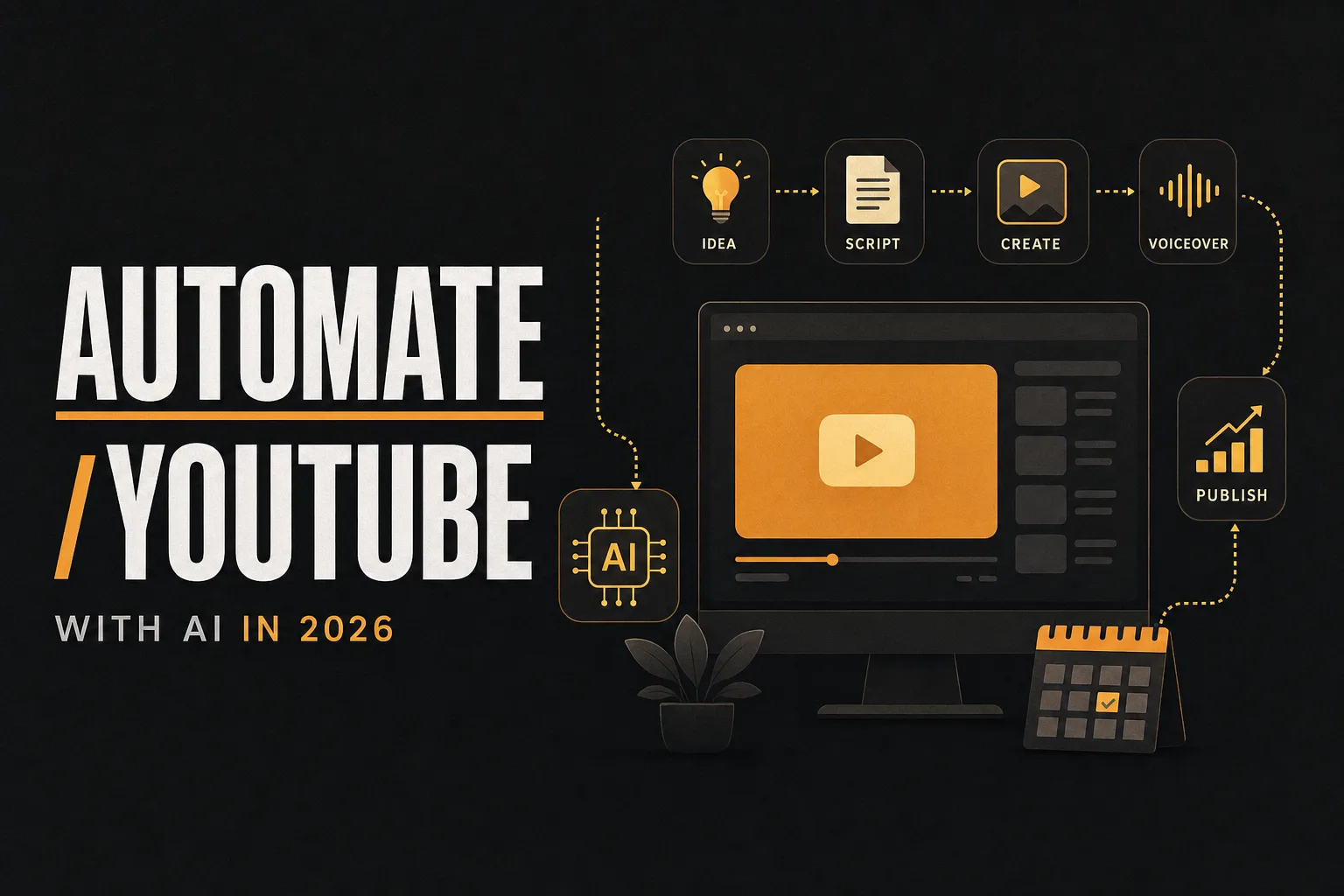
How to automate YouTube channels with AI in 2026
Artificial intelligence is reshaping YouTube content creation faster than most creators expected. What once took a full production team can now be handled by a small stack of AI tools running in sequence. Whether you want to grow a faceless channel, publish daily without burning out, or simply reclaim hours lost to editing and metadata, AI automation makes it possible.
The numbers back this up. According to a 2024 HubSpot survey, 83% of content creators now use AI in some part of their workflow. A separate report by Epidemic Sound found that creators using AI tools produced content 3x faster on average compared to those working manually. And with YouTube's algorithm rewarding consistent uploads, the creators scaling output with AI are pulling ahead.
This guide walks through every stage of the automation pipeline, the best tools for each stage, how to run a faceless channel on a budget, and the practical things you need to know about copyright before you publish.
The full YouTube automation pipeline (stage by stage)
The most effective way to think about YouTube automation is as an assembly line. Each stage has a defined input and output. When you string them together, you get a repeatable system that produces finished videos with minimal manual effort.
Here are the seven core stages:
- Ideation - generating video topics and validating demand
- Scripting - writing a structured, engaging script
- Voiceover - converting the script to audio using AI voices
- Visuals - generating or sourcing video footage, images, and graphics
- Music and sound design - adding background audio
- Editing and assembly - combining all elements into a finished video
- Publishing and scheduling - uploading, optimizing metadata, and scheduling release
Each stage can be partially or fully automated. The goal is not to remove creativity entirely, but to remove the friction that slows you down.
Stage 1: AI-powered ideation and topic research
Before you write a single word, you need to know what your audience is searching for. AI tools can scan YouTube trends, analyze competitor performance, and surface high-demand topics in seconds.
TubeBuddy and vidIQ both offer AI-powered keyword and topic suggestion features. They pull real search volume data from YouTube and show you how competitive each topic is. This removes the guesswork from content planning.
For broader ideation, ChatGPT (or any large language model) is useful for generating lists of video ideas from a single prompt. A prompt like "Give me 20 YouTube video ideas for a personal finance channel targeting 25-35 year olds" produces a solid starting list in under ten seconds.
Some creators also use Google Trends alongside these tools to spot seasonal demand spikes before they peak, giving their content a timing advantage.
Stage 2: AI scriptwriting tools
A well-structured script is the backbone of any high-retention video. AI scriptwriting tools can draft a full script from a title and a few bullet points, cutting writing time from hours to minutes.
ChatGPT remains the most flexible option. You can prompt it to write in a specific tone, target a defined reading level, or follow a particular script structure (hook, problem, solution, call to action). The key is giving it detailed context rather than vague prompts.
Jasper is built specifically for content creators and marketers. It includes YouTube-specific templates and maintains brand voice settings across documents, which matters when you are managing multiple channels.
Copy.ai is another solid choice, particularly for shorter scripts and YouTube Shorts. It offers a free tier that is generous enough for creators just starting out.
When using AI for scripts, always review the output for factual accuracy. AI models can confidently state incorrect information, so a quick fact-check pass before recording saves you from credibility issues later.
Stage 3: AI voiceover and text-to-speech tools
This is arguably the most transformative stage for faceless channel creators. AI voice generation has improved dramatically, with some tools producing voices that are nearly indistinguishable from a human narrator.
ElevenLabs is widely regarded as the best-in-class option for voice quality. It supports voice cloning (you can create a custom voice from a sample), multiple languages, and emotional tone adjustments. The free tier allows a limited number of characters per month, while paid plans start at around $5/month.
Murf.ai offers a library of over 120 AI voices across 20 languages. It includes a built-in studio where you can sync voiceover directly to slides or video clips. The interface is beginner-friendly, which makes it a good choice if you are new to audio production.
Play.ht is a strong alternative with a large voice library and a competitive free tier. It also supports SSML (Speech Synthesis Markup Language), which lets you control pacing, pauses, and emphasis with precision.
For budget-conscious creators, Google Text-to-Speech and Amazon Polly both offer free tiers. The voice quality is not as natural as ElevenLabs, but for certain niches (educational content, data-heavy topics) they work well.
Stage 4: AI video generation and visual creation
Once you have a script and voiceover, you need visuals. This stage has seen some of the biggest advances in AI over the past two years.
Pictory is one of the most popular tools for automated video creation. You paste in a script, and it automatically selects relevant stock footage, adds captions, and syncs everything to your audio. It is especially well-suited for talking-head style or documentary-style faceless videos.
InVideo AI works similarly, letting you generate a video from a text prompt or script. It has a large stock library and supports direct export to YouTube-ready formats.
For AI-generated visuals (rather than stock footage), Runway ML and Pika Labs can generate short video clips from text prompts. These are useful for creating unique B-roll that does not look like generic stock footage. The quality is improving rapidly, though it still works best for abstract or stylized content rather than realistic human subjects.
Midjourney and Adobe Firefly are the leading options for generating static images and thumbnails. Thumbnails have an outsized impact on click-through rate, so investing time in custom AI-generated thumbnail images is worth it.
For channels that need consistent branded graphics, Canva's AI tools offer a middle ground between full customization and speed. The Magic Media feature generates images from prompts directly inside Canva's design environment.
Stage 5: AI music and sound design
Background music affects viewer retention more than most creators realize. It sets the emotional tone and keeps viewers engaged during slower sections of a video.
Suno and Udio generate original music tracks from text prompts. You describe the mood, genre, and tempo, and the tool produces a unique track in seconds. Because the music is AI-generated and original, copyright risk is low (more on this below).
Epidemicsound and Artlist are not AI generation tools, but they offer royalty-free music libraries with YouTube commercial licenses included. If you prefer curated human-made music with guaranteed licensing, these are reliable options.
Soundraw sits in between, offering AI-generated music with commercial licensing clearly stated. You can adjust the mood, length, and energy level of each track before downloading.
Stage 6: AI-assisted editing and assembly
Editing is traditionally the most time-consuming part of video production. AI editing tools are closing that gap significantly.
Descript lets you edit video by editing the transcript. Delete a word from the text, and that section of video disappears. It also has an AI feature called Overdub that can fix audio mistakes without re-recording. For creators who find traditional timeline editing tedious, Descript is a significant productivity boost.
OpusClip and Vidyo.ai use AI to automatically cut long-form videos into short clips optimized for YouTube Shorts, TikTok, and Instagram Reels. If your strategy includes repurposing content, these tools can multiply your output without extra recording time.
Adobe Premiere Pro's AI features (including Auto Reframe, Speech to Text captions, and Remix for audio) make the full editing suite faster for creators already in the Adobe ecosystem.
Stage 7: Publishing, scheduling, and SEO automation
The final stage is getting your video live with optimized metadata and a consistent publishing schedule.
TubeBuddy and vidIQ both assist with title optimization, tag suggestions, and description templates. They score your SEO before upload, flagging any gaps that might hurt discoverability.
Vuela.ai goes further by automating channel management tasks including scheduling, analytics tracking, and audience engagement, making it a strong central hub for creators managing the full pipeline in one place.
For multi-platform publishing and scheduling, Zapier and Make (formerly Integromat) let you build automated workflows that connect your tools. For example, when a video is exported from your editing tool and saved to Google Drive, a Zapier workflow can automatically upload it to YouTube, set the title and description from a spreadsheet, and schedule it for a specific publication time.
Buffer and Hootsuite both support YouTube scheduling, which is useful if you want a simple calendar-based approach without building custom Zapier flows.
Faceless YouTube channel automation
Faceless channels are one of the fastest-growing formats on YouTube, and AI automation is the main reason. A faceless channel publishes videos without a visible host. Common formats include:
- Documentary-style narration with stock footage
- Listicle videos (top 10 lists, rankings)
- Educational explainers with graphics and animation
- Finance, history, true crime, and motivational content
- AI news and technology commentary
The entire production pipeline for a faceless channel can be automated. You use AI to generate the script, AI voiceover to narrate it, a tool like Pictory or InVideo to assemble visuals, and a scheduler to publish it. Some creators run faceless channels generating tens of thousands of monthly views without ever appearing on camera.
The key to a successful faceless channel is niche focus. A channel that covers one specific topic consistently (personal finance for freelancers, AI tool reviews, cold case crime stories) builds a loyal audience faster than one that covers everything.
How to scale from one video per week to daily publishing
Scaling output is where automation pays off most visibly. Here is how the progression typically looks:
Manual workflow (1 video/week): A creator writing, recording, editing, and uploading alone spends roughly 10-15 hours per video. That limits output to one video per week at most.
Partially automated (3 videos/week): Adding AI scripting and an AI voiceover cuts production time roughly in half. Using a tool like Pictory for visual assembly removes most of the editing work. Three videos per week becomes manageable for a solo creator.
Fully automated stack (daily publishing): With a complete pipeline (AI ideation, AI script, AI voice, automated visual assembly, auto-scheduling), a single creator can realistically publish daily. Some creators managing multiple faceless channels report producing 10-15 videos per week with a few hours of oversight.
The jump from occasional publishing to daily publishing is significant for channel growth. YouTube's algorithm favors channels that upload consistently, and a larger catalog means more entry points for new viewers to discover your content.
Budget-friendly automation: how to start for free
You do not need to spend hundreds of dollars per month to automate a YouTube channel. Here is a low-cost stack that covers the full pipeline:
- Ideation: vidIQ (free tier) or ChatGPT (free tier)
- Scripting: ChatGPT (free tier) or Copy.ai (free tier)
- Voiceover: ElevenLabs (free tier, 10,000 characters/month) or Play.ht (free tier)
- Video assembly: InVideo AI (free tier with watermark) or Canva (free tier)
- Music: Suno (free tier for non-commercial use) or YouTube Audio Library (free, no attribution required)
- Scheduling: YouTube Studio's native scheduling (free)
This stack costs nothing to start. As your channel grows and generates revenue, you can upgrade individual tools to paid tiers for better quality and higher output limits. The most common first upgrade is ElevenLabs, since voice quality directly affects viewer experience.
Commercial licensing and copyright considerations
Before publishing AI-generated content on YouTube, you need to understand the licensing rules for every asset in your video. YouTube's Content ID system and advertiser policies enforce strict copyright standards, and violations can result in demonetization or channel strikes.
Here are the key areas to check:
- AI voiceover tools: Most paid tiers (ElevenLabs, Murf, Play.ht) explicitly grant commercial use rights. Free tiers sometimes restrict commercial use. Always read the terms before monetizing.
- Stock footage: If you use a tool like Pictory that pulls from stock libraries, verify that the plan you are on includes commercial licensing. Some stock footage licenses only cover personal use.
- AI-generated images and video: Tools like Midjourney, Runway, and Adobe Firefly have different commercial use policies depending on your subscription tier. Check their terms specifically.
- AI music: Tools like Soundraw and Epidemicsound include YouTube commercial licenses. Suno's free tier is for non-commercial use only. If you are monetizing your channel, use a platform that explicitly grants commercial rights to AI-generated music.
- AI-generated scripts: Content generated by AI tools is generally not copyrightable under current law in most jurisdictions, but the output could inadvertently reproduce copyrighted training data. Review scripts before publishing, especially for factual or literary topics.
The safest approach is to use tools that explicitly state commercial use rights in their pricing pages, and to keep records of which tools and tiers you were subscribed to at the time of each video's production.
Choosing the right AI tools: a practical evaluation framework
With hundreds of AI tools available, choosing the right ones can feel overwhelming. Use these criteria to filter your options:
- Quality: Does the output meet the standard your audience expects? Test free tiers before committing.
- Commercial licensing: Does the plan you are on grant rights to use the output on a monetized YouTube channel? API and integration support: Can the tool connect to your