Can Claude generate images? What it makes and how (2026)
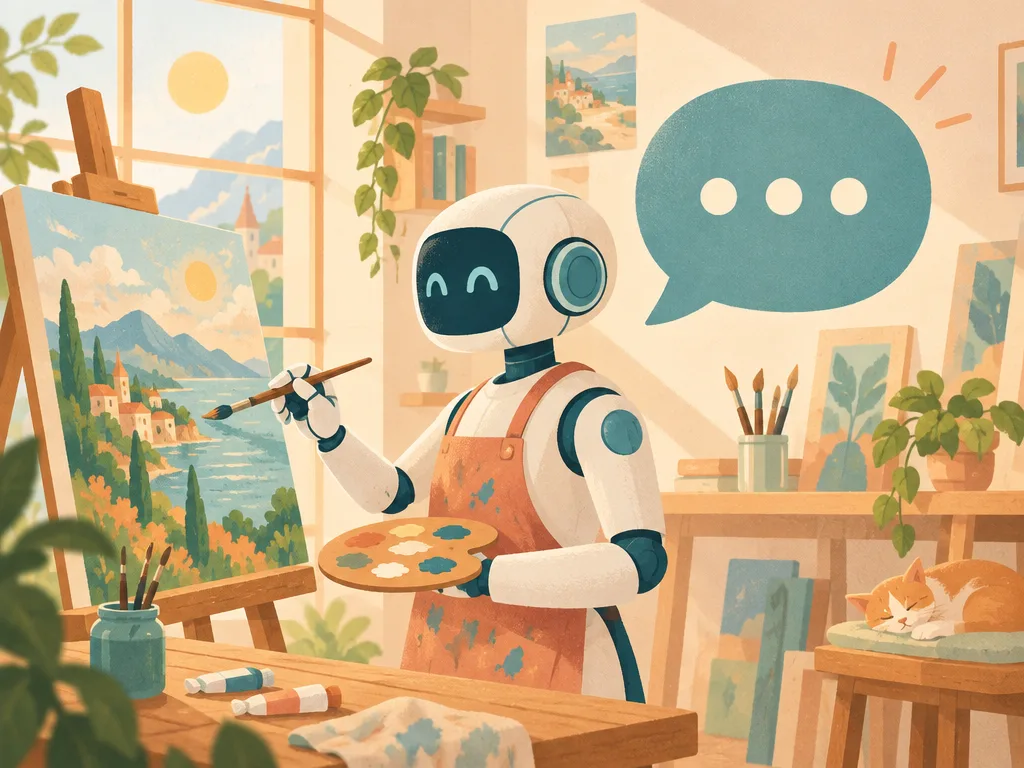
Not on its own, no. Claude has no built-in image generation model, so it cannot paint a photo or an illustration the way ChatGPT or Gemini do. What it can do is create images with code (SVG drawings, charts, diagrams and designed layouts), and, once you connect an image tool, ask that tool for real photos and illustrations on your behalf.
The illustration above was made exactly that way: we asked Claude for it in a chat, Claude sent the request to Vuela's image generator through a connector, and the finished picture came back into the conversation. Below you will see what Claude makes by itself, the three ways to get real images out of it, and a step-by-step guide.
The short answer
- Claude does not generate photos or illustrations. Anthropic's own help center says so: Claude doesn't produce images the way image-generation tools do.
- It does create images with code: SVG graphics, charts, diagrams, infographics and visual layouts, in the chat, in artifacts and in Claude Design.
- For real images, connect an image model. With a connector (MCP), Claude can ask an image generator for photos, illustrations and edits without you leaving the chat.
What images Claude can make on its own
Everything Claude creates by itself is written as code and then drawn by a computer. That makes it excellent at anything precise and structured, and weak at anything that should look like a photograph.
SVG drawings and icons
SVG is an image format written as text: shapes, colors and positions. Claude writes it very well. Here is the same mug you will see photographed further down, drawn by Claude as SVG while we wrote this article.

It is clean, sharp at any size and easy to edit, but it looks like a flat illustration, not a photo. That is the ceiling of code-drawn images.
Charts and data visualizations
With its code execution tool, Claude runs Python in a sandbox that includes matplotlib, seaborn and Pillow, and saves the result as a PNG file you can download. This chart of how often people ask Google whether Claude can generate images was written by Claude with matplotlib:
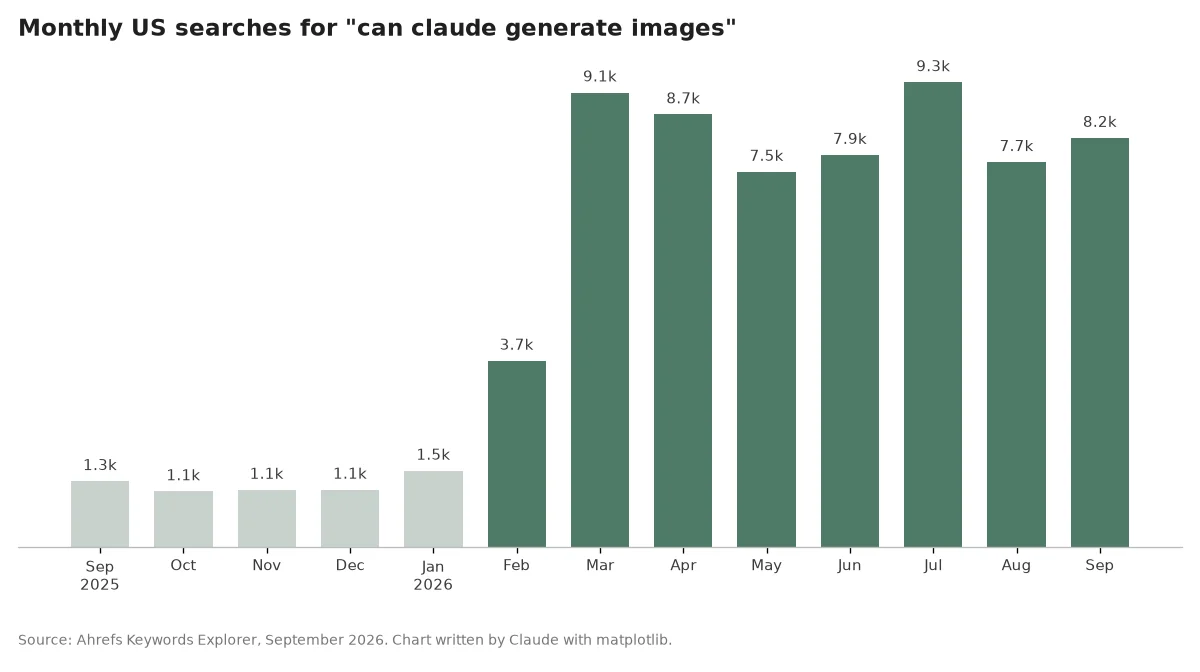
Interest jumped from around 1,100 searches a month in late 2025 to between 7,500 and 9,300 a month since March 2026. A lot of people are asking, and most of them are finding out that the answer is "sort of".
Diagrams, infographics and designs
- Diagrams: flowcharts, org charts and timelines, drawn as Mermaid or SVG code.
- Infographics and one-pagers: built as HTML and CSS in an artifact, then exported or screenshotted.
- Claude Design: Anthropic's design product creates slides, one-pagers, mockups and prototypes as code, and exports them as HTML, PDF, PPTX or to Canva.
If what you need is an animated version of any of this, Claude can write that too. See how Claude makes videos.
Why Claude doesn't generate images
Claude is a language model. It reads text and images and writes text and code, but it was not built with an image generation model attached, and Anthropic has not added one. ChatGPT and Gemini, by contrast, ship with image models built in (OpenAI's GPT Image and Google's Nano Banana family).
Claude can still see images: you can upload a photo, a screenshot or a chart and it will describe, analyze or rebuild it in code. It just cannot paint a new one.
Three ways to get real images from Claude
| Way | What you get | Best for |
|---|---|---|
| A connector (MCP) to an image service | Photos, illustrations and edits, requested in the chat | Anyone who already works in Claude |
| Claude Code with an image API | Images generated by a script Claude writes | Developers and batch jobs |
| Claude writes the prompt, you paste it into an image tool | Better prompts, generated elsewhere | Occasional use, no setup |
1. A connector to an image service
Connectors, built on MCP (the Model Context Protocol), let Claude use outside tools. Several image services offer one, Vuela among them. Once it is connected, you ask for an image in plain language, Claude calls the tool, and the picture comes back into the chat. You can then ask for changes in the same conversation.
2. Claude Code with an image API
If you are a developer, Claude Code can write and run a script that calls an image generation API, for example to create a hundred product variations from a spreadsheet. It is powerful, but you manage the API keys, the costs and the files yourself.
3. Claude writes the prompt
The simplest option: ask Claude to write a detailed image prompt (subject, composition, lighting, style) and paste it into your image tool. Claude is very good at this, and it is a quick way to get better results from any generator.
How to generate images with Claude and Vuela, step by step
- Add the connector. In Claude, open Settings, then Connectors, click "Add custom connector" and paste
https://mcp.vuela.ai/mcp. Sign in with your Vuela account when asked. - Ask for the image. Describe what you want to see. Vuela's image generator runs on OpenAI's GPT Image 2.5.
- Refine it in the chat. Ask Claude to change the background, the lighting or the style, and it sends the edit to the same tool.
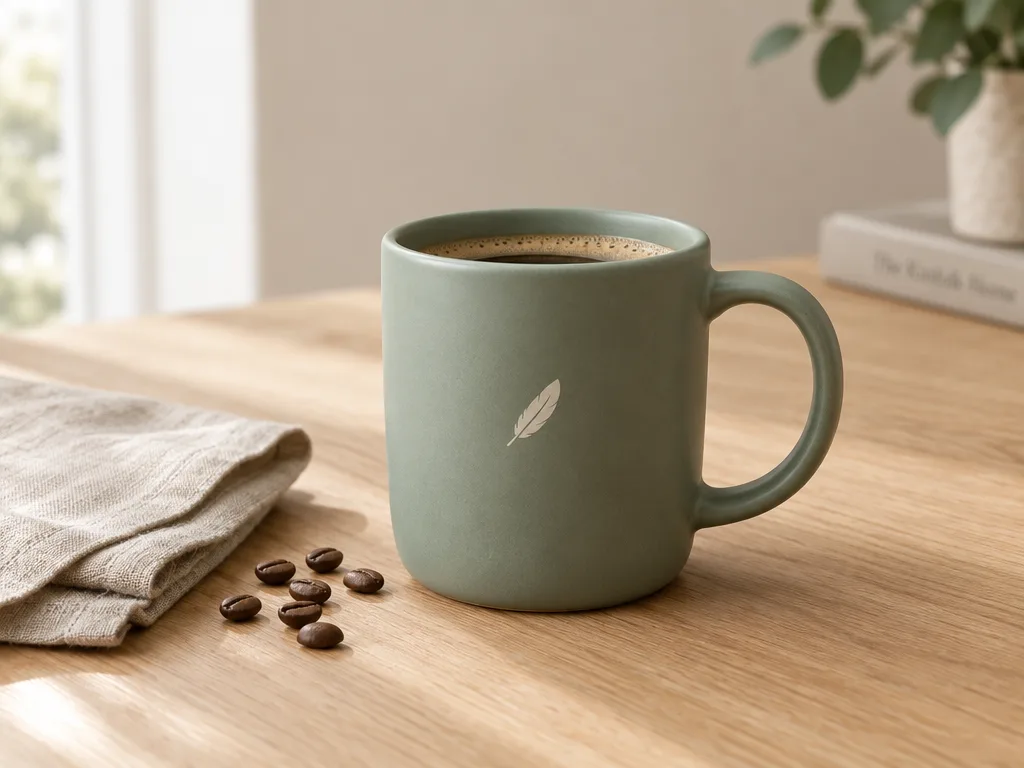
These three images were made that way from this very conversation, at standard quality.
A product photo
Prompt: "Studio product photograph of a matte sage-green ceramic coffee mug with a small minimalist feather logo on the side, sitting on a light oak table next to a folded linen napkin and a few coffee beans, soft natural window light from the left, shallow depth of field, photorealistic."
An edit of that photo
Follow-up: "Keep the same mug exactly as it is, but move it outdoors onto a wooden table on a sunny café terrace in the morning." The shape, the color and the logo survive the move.

An illustration
Prompt: "Editorial flat illustration for a blog header: a friendly robot artist in a sunny studio painting a landscape on a canvas while a large chat bubble floats beside it, warm pastel palette, clean vector shapes with subtle grain texture, no text." That is the image at the top of this article.
Compare the photographed mug with the SVG mug Claude drew earlier: same subject, two completely different kinds of image. Claude alone gives you the second; with a connector you get the first. If you prefer to work outside Claude, the same generator is available as Vuela's AI image generator.
Claude vs ChatGPT vs Gemini for images
- ChatGPT generates and edits images natively with OpenAI's image models.
- Gemini generates and edits images natively with Google's image models.
- Claude does not generate images natively. It is strongest at code-drawn visuals (charts, diagrams, SVG, layouts) and at writing prompts, and it can generate real images through a connector.
For a side-by-side of the image generators themselves, see our best AI image generators ranking.
Frequently asked questions
Why can't Claude generate images?
Because it has no image generation model attached. Claude is a language model: it reads images and writes text and code, and any image it produces on its own is drawn by code (SVG, charts, HTML).
Is Claude or ChatGPT better for image generation?
ChatGPT, if you want photos or illustrations inside the same app, because it has an image model built in. Claude is better at precise, code-drawn visuals such as charts and diagrams, and it can match ChatGPT on photos once you connect an image tool.
Can Claude produce photos?
Not by itself. Through a connector to an image service, yes: the product photos in this article were requested from Claude and generated by Vuela's image generator.
Can Claude edit images?
It can crop, resize, recolor or annotate an image with code (Pillow) in its sandbox, and describe what it sees in any image you upload. For AI edits, like changing the background or the lighting of a photo, it needs a connected image tool.
Is generating images with Claude free?
Code-drawn images (charts, SVG, diagrams) work on every Claude plan, including the free one, because code execution and file creation are available to all users. Photos and illustrations through a connector use that service's own plan or credits.
Are images made by Claude marked as AI-generated?
On the Claude API, image, video and audio files that Claude produces in its code execution sandbox carry C2PA Content Credentials that identify Anthropic as the issuer, when you download them through the Files API. Images made by a connected service come from that service, not from Claude.