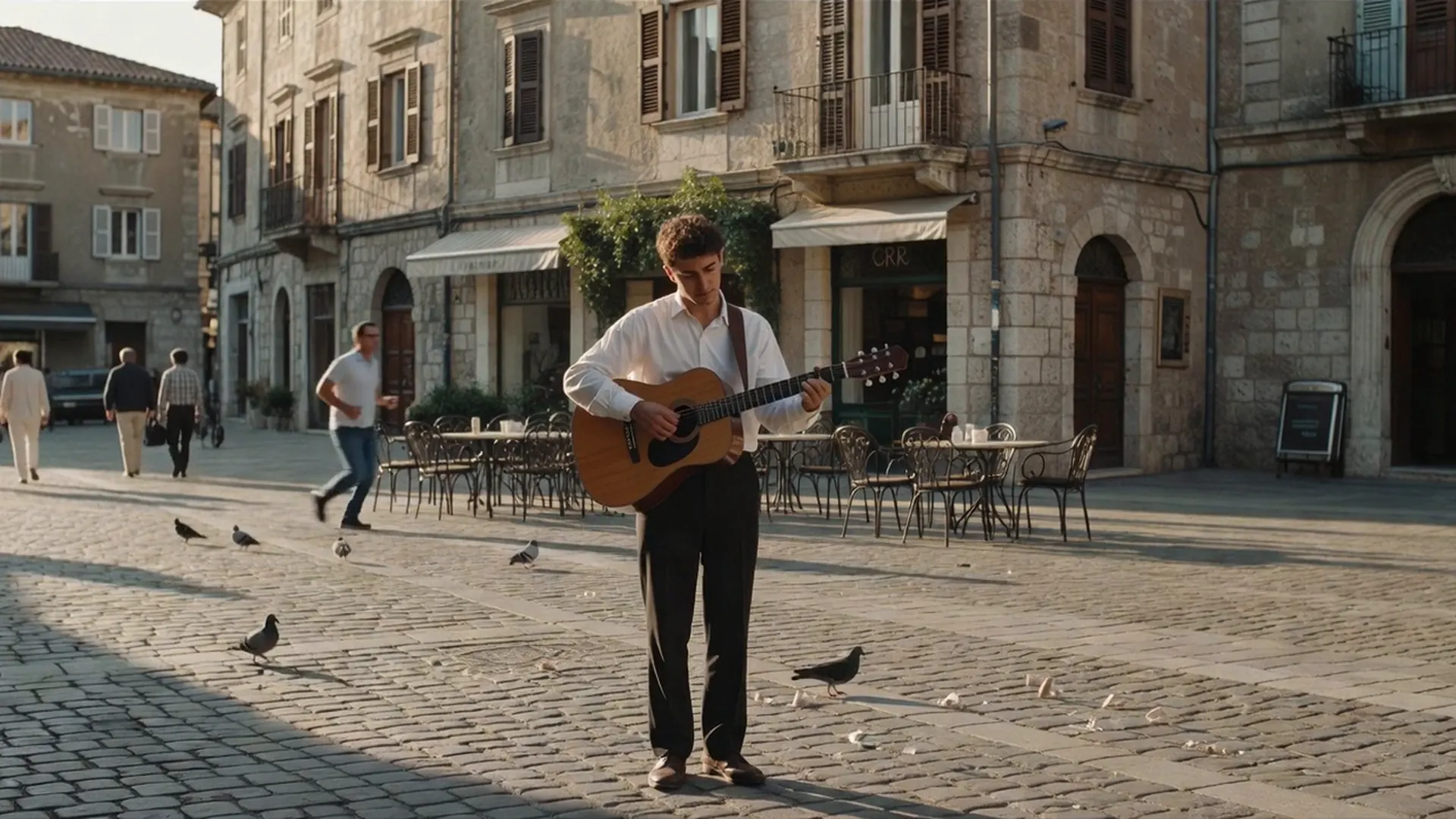
Horizontal to Vertical Video Converter, No Cropping
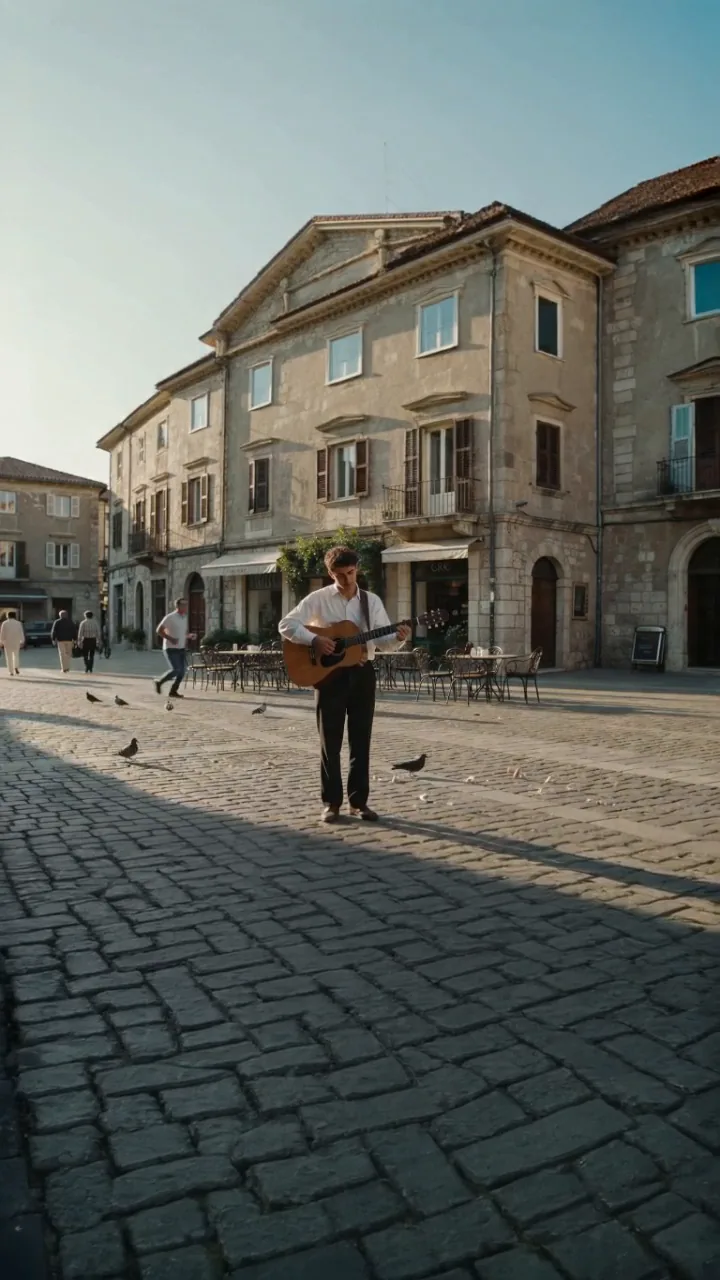
The AI fills the frame instead of cropping it
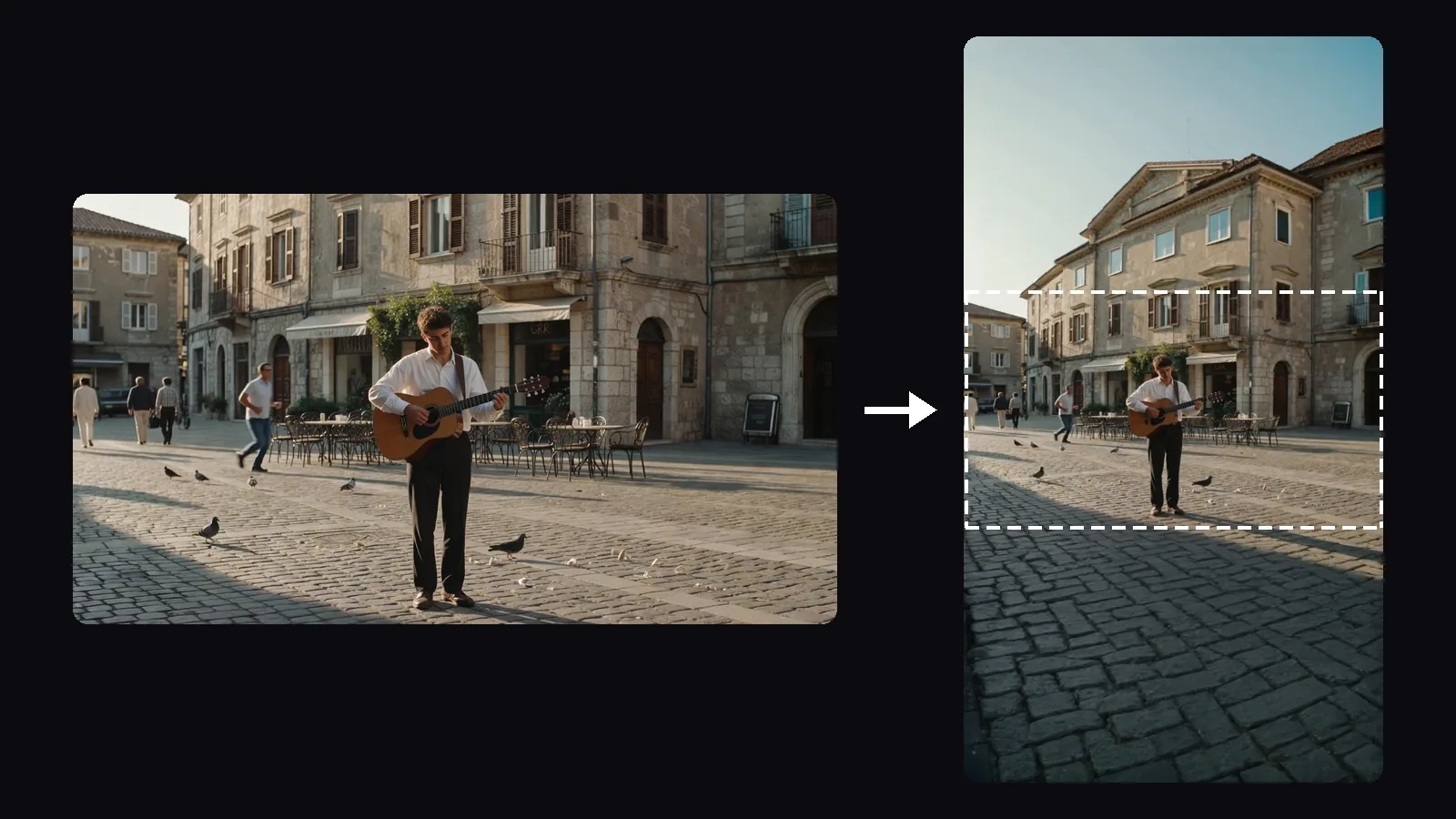
Most converters cut the sides off a landscape video or drop it on a blurred background. Here the whole shot stays, and the AI paints the sky, floor and surroundings that were never filmed above and below it, matched to the light and movement of the original.
- Nothing is cut from the original shot
- No blurred bars or black borders
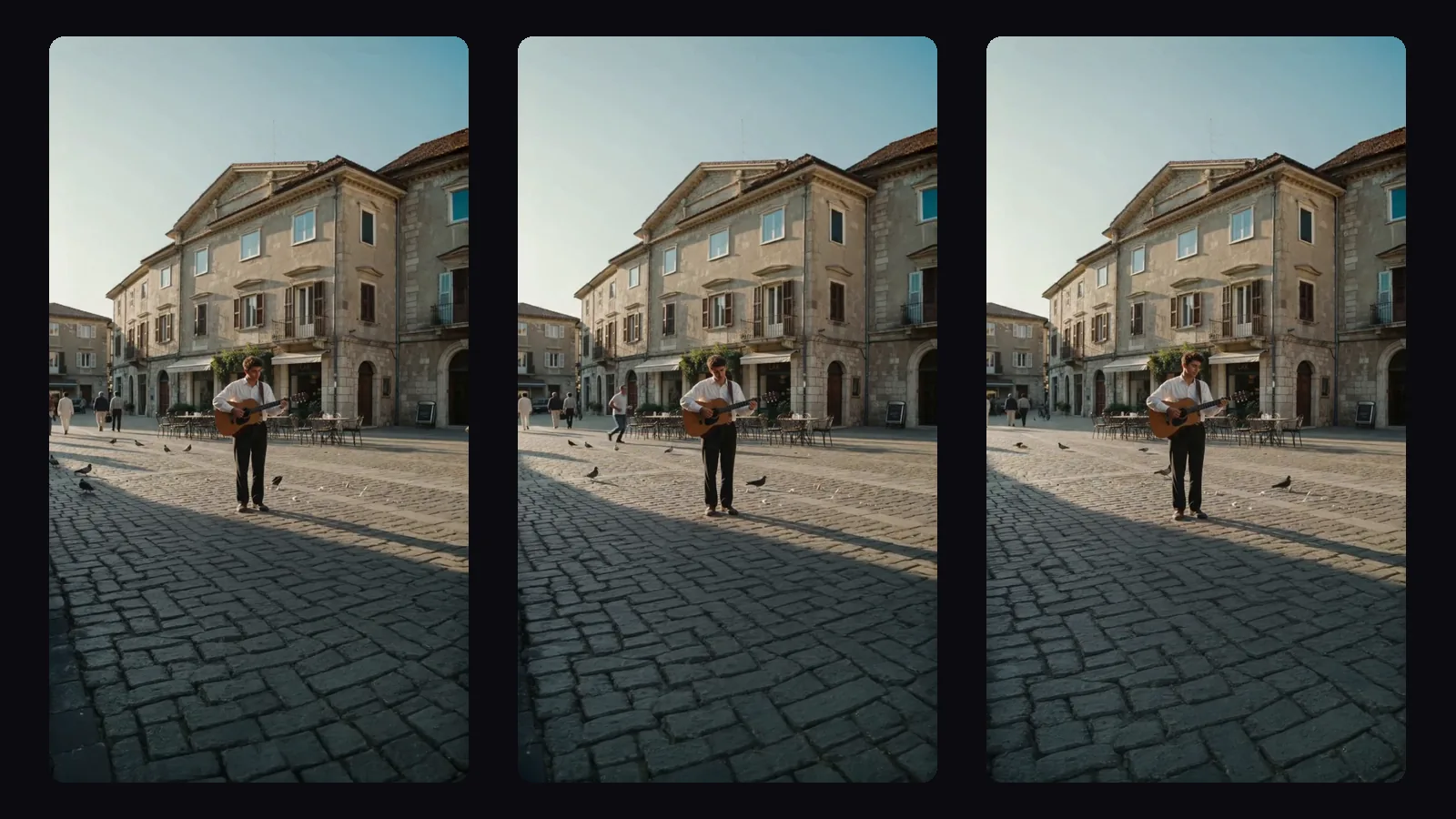
- The added area moves with the scene
Vertical, horizontal or square, up to 5 minutes
Pick 9:16 for TikTok, Reels and Shorts, 16:9 for YouTube or 1:1 for feed posts, all at 720p. 4:3, 3:4 and 21:9 are there too. Clips of up to 5 minutes keep their original audio, and the painted area stays steady from the first second to the last.
- 9:16, 16:9 and 1:1 at 720p
- Also 4:3, 3:4 and 21:9
- Original audio kept
How to convert a horizontal video to vertical in 3 steps
Upload your video
Add an MP4, MOV, WEBM or MKV file of up to 5 minutes and 500 MB, or paste a public link to it.
Choose the new format
Pick 9:16 for Shorts, Reels and TikTok, or 16:9, 1:1 or another ratio. The cost in credits shows before you start.
Download the result
The AI extends the frame and returns an MP4 with the original audio, ready to post.
Frequently Asked Questions
Does it crop my video?
No. The whole original frame stays in the result. The AI adds new image above and below it, or at the sides when you go from vertical to horizontal, until it reaches the new aspect ratio.
How much does it cost?
8 credits per second of the source video, so a 30 second clip costs 240 credits. You see the estimated cost before you start.
How long and how large can the video be?
Up to 5 minutes and 500 MB, in MP4, MOV, WEBM or MKV. The result comes out at 720p in 9:16, 16:9 and 1:1, and at 540p in 4:3, 3:4 and 21:9.
Is the audio kept?
Yes. The original audio track is copied to the converted video unchanged.
Can I convert a vertical video to horizontal?
Yes. Choose 16:9 and the AI extends the sides instead of the top and bottom. Square 1:1 works the same way.
How is this different from auto reframe or face tracking?
Auto reframe tools crop a moving window around the face or subject, so everything outside that window is lost. Here nothing is cropped: the whole shot stays and the AI adds what is missing around it.
Does the added area stay consistent in long videos?
Within each minute it stays steady. Videos longer than a minute are processed in parts of about 59 seconds, and the AI can paint the added area a little differently from one part to the next, which may show as a small change at that point.
How long does it take?
About a minute and a half for a short clip and around three minutes for a one minute video.
Pricing
The best content. The cheapest price.
Lite
A light plan for casual creators getting started.
$9
per month
500
AI credits / monthly
- 80+ AI Creation tools
- AI Video with cloning & reimagining
- AI Images with Try-On & product shots
- Generate original background music
- Publish SEO-ready articles instantly
- Viral video inspiration
- 19+ preset & custom video styles
Starter
The essential toolkit for exploring AI content creation.
$19
per month
1,050
AI credits / monthly
- 80+ AI Creation tools
- AI Video with cloning & reimagining
- AI Images with Try-On & product shots
- Generate original background music
- Publish SEO-ready articles instantly
- Viral video inspiration
- 19+ preset & custom video styles
Growth
The perfect plan for serious content generation.
$59
$39
per month
2,200
AI credits / monthly
- 80+ AI Creation tools
- AI Video with cloning & reimagining
- AI Images with Try-On & product shots
- Generate original background music
- Publish SEO-ready articles instantly
- Viral video inspiration
- 19+ preset & custom video styles
Business
The complete solution for content-driven businesses.
$99
per month
6,000
AI credits / monthly
- 80+ AI Creation tools
- AI Video with cloning & reimagining
- AI Images with Try-On & product shots
- Generate original background music
- Publish SEO-ready articles instantly
- Viral video inspiration
- 19+ preset & custom video styles
- Priority support
Looking for a custom plan?
Adapted to your business needs (volume and customization)
Explore more AI video tools
Faceless AI Video Generator Tool
Create engaging faceless AI videos perfect for storytelling, explainer videos, and educational content.
AI Image to Video Generator
Upload a photo, describe how it should move and Vuela turns it into a video with sound, usually in under a minute. Premium or Ultra quality.
AI Video Cloner: Clone Any Viral YouTube or TikTok Video
Paste a YouTube, TikTok or Instagram link and analyze it for free. Vuela recreates it with new AI visuals, voice and music: same structure, original video.
Trump AI Video Generator Tool
Create AI-generated videos inspired by political speeches, debates, and viral moments. Perfect for satire, commentary, and social content.
Video to Video AI Generator
Transform any YouTube, TikTok or Instagram video into a brand-new AI-generated version. Extract the script and recreate it with your own style.
AI Video Director Tool
Chat with an AI director that plans your entire video production — scenes, camera movements, dialogues, music and sound effects.
AI Motion Transfer: Copy Dance Moves to Any Character
Transfer poses and movement from one video to another. Make any character dance, gesture, or move exactly like your reference clip.
Billie Eilish AI Video Generator Tool
Create AI-generated videos in the moody pop visual style. Perfect for music edits, lyric storytelling and aesthetic fan content.
AI Video Editor Online: Edit, Cut and Generate Video with AI
The AI video editor that writes captions, trims silences, adds music and generates B-roll for you. Edit any video online in minutes, not hours.