Explainer video examples: 12 classics and 4 made with AI (2026)
An explainer video is a short video, usually one to two minutes, that explains what a product, service or idea does and why it matters. The best ones make something complicated feel obvious. They pick one problem, one metaphor and one call to action, and cut everything else.
Below are 12 explainer video examples worth studying, from the Dropbox classic to Kurzgesagt, covering every major style: 2D animation, motion graphics, kinetic typography, whiteboard, live action and 3D. After them you will find four explainers made with AI from a one-line brief, and a short guide to what the good ones have in common.
The 12 examples at a glance
| Brand | Style | Length | The lesson |
|---|---|---|---|
| Dropbox | 2D paper cut-out | 2:17 | One problem, one metaphor |
| Slack | Live-action parody | 2:20 | Humor builds trust |
| Headspace | 2D character animation | 1:16 | The style is the promise |
| Crazy Egg | 2D character animation | 2:38 | Start with the pain |
| Airwallex | Motion graphics | 1:18 | Make the abstract visible |
| Notion | Kinetic typography and UI | 1:27 | Let the words do the work |
| Apple | Kinetic typography | 1:16 | No product shot needed |
| RSA | Whiteboard | 11:40 | Drawing keeps long talks watchable |
| Dollar Shave Club | Live action, founder-led | 1:33 | The offer in the first seconds |
| Kurzgesagt | Educational motion graphics | 7:49 | A consistent visual system |
| Dyson | 3D and live action | 1:41 | Show what the eye can't see |
| Calendly | Presenter-led walkthrough | 2:23 | Answer the objection first |
12 explainer video examples worth studying
1. Dropbox: the original homepage explainer
Dropbox Intro Video, 2D paper cut-out made with Common Craft, 2:17.
It is the most cited explainer ever made, and it still holds up. There is one problem (your files are stuck on one computer) and one metaphor (a box that follows you everywhere). It explains how the product works without showing a single screen, which is why it never looked dated.
Copy this: find the one sentence your customer would use to describe the problem, and build the whole video around it.
2. Slack: "So Yeah, We Tried Slack…"
So Yeah, We Tried Slack, live-action mockumentary, 2:20.
Slack made an explainer that pokes fun at explainers. A skeptical, deadpan narration makes the pitch feel honest, and the arc is simple: a chaotic team, then Slack, then a calm team. It is proof that an explainer can be entertaining without losing the message.
Copy this: if your market is tired of hype, a little self-awareness earns more trust than superlatives.
3. Headspace: How It Works
Headspace | Meditation | How It Works, 2D character animation, 1:16.
Soft, rounded characters and slow pacing feel exactly like the product promises: calm. Each scene carries one idea, and the whole video is over in about a minute.
Copy this: choose a visual style that feels like the result your product delivers.
4. Crazy Egg
CrazyEgg Animated Video, by the studio Demo Duck, 2D character animation, 2:38.
It opens with the visitor's frustration (you don't know why people leave your website) before the tool is even named. A friendly mascot makes heatmaps, a fairly technical idea, feel approachable.
Copy this: spend the first 15 seconds on the pain, not on your logo.
5. Airwallex: Your Passport to Global Business
Airwallex - Your Passport to Global Business, 2.5D motion graphics, 1:18.
Moving money across borders is invisible and dull. Airwallex turns it into simple shapes that travel across the screen, and it talks about outcomes (getting paid, paying suppliers) instead of compliance detail.
Copy this: if your product works behind the scenes, give it a visual shape the viewer can follow.
6. Notion: What is Notion?
What is Notion?, kinetic typography with product UI, 1:27.
Big words on a white background set the rhythm, and short glimpses of the interface prove each claim. A tool that can do almost anything ends up feeling simple, because the type does the narrating.
Copy this: for a broad product, lead with a few strong words per scene instead of a feature tour.
7. Apple: Every product carbon neutral by 2030
Every product carbon neutral by 2030 | Apple, kinetic typography, 1:16.
Text-only statements cut to a percussion track explain an entire supply-chain commitment in about 75 seconds, without a single product shot.
Copy this: when the message is a commitment or a number, typography alone can carry it.
8. RSA Animate: Changing Education Paradigms
RSA ANIMATE: Changing Education Paradigms, whiteboard, 11:40.
The reference piece for the whiteboard style. The drawing keeps pace with a recorded talk, so an 11-minute lecture stays watchable. You rarely need that length, but the technique scales down perfectly to a 60-second explainer.
Copy this: draw each idea as it is said. Seeing a concept being built helps people remember it.
9. Dollar Shave Club: Our Blades Are F***ing Great
DollarShaveClub.com - Our Blades Are F***ing Great, live action, founder-led, 1:33.
The price and the offer land in the first seconds. The founder's deadpan delivery, walking through the warehouse, turns a value proposition into a comedy sketch people wanted to share.
Copy this: say what you sell and what it costs before the viewer has time to scroll.
10. Kurzgesagt: The Immune System Explained
The Immune System Explained I – Bacteria Infection, educational motion graphics, 7:49.
A military metaphor gives structure to complex biology, and a flat, consistent visual system keeps the viewer oriented from start to finish. It is the gold standard for educational explainers.
Copy this: define a small set of shapes and colors and never break them. Consistency is what makes complexity readable.
11. Dyson: The Coanda effect explained
The science behind the Dyson Airwrap™ styler, 3D CGI with live action, 1:41.
3D renders make invisible airflow visible, and real engineers on camera add credibility. It sells a premium product by explaining the physics behind it.
Copy this: if your advantage is technical, show the mechanism, not just the result.
12. Calendly: Way More Than a Scheduling Link
Calendly Overview: Way More Than a Scheduling Link, presenter-led walkthrough, 2:23.
It starts from the objection most people already have ("it's just a link") and widens the use case from there. A presenter speaking to camera gives a software product a human face.
Copy this: if people think they already know your product, address that belief head-on.
4 explainer videos made with AI
You no longer need a studio for the animated styles above. These four were made with Vuela's animation studio from a one-line brief each. The AI planned and animated every scene; nobody touched a timeline. All four are fictional businesses, made to show the styles.
A SaaS explainer in animated icons
Brief: explain a restaurant booking app called "Table". Structure: the problem (the phone never stops ringing), three numbered steps (bookings from Google and Instagram, a dashboard, automatic WhatsApp reminders) and the brand at the end.
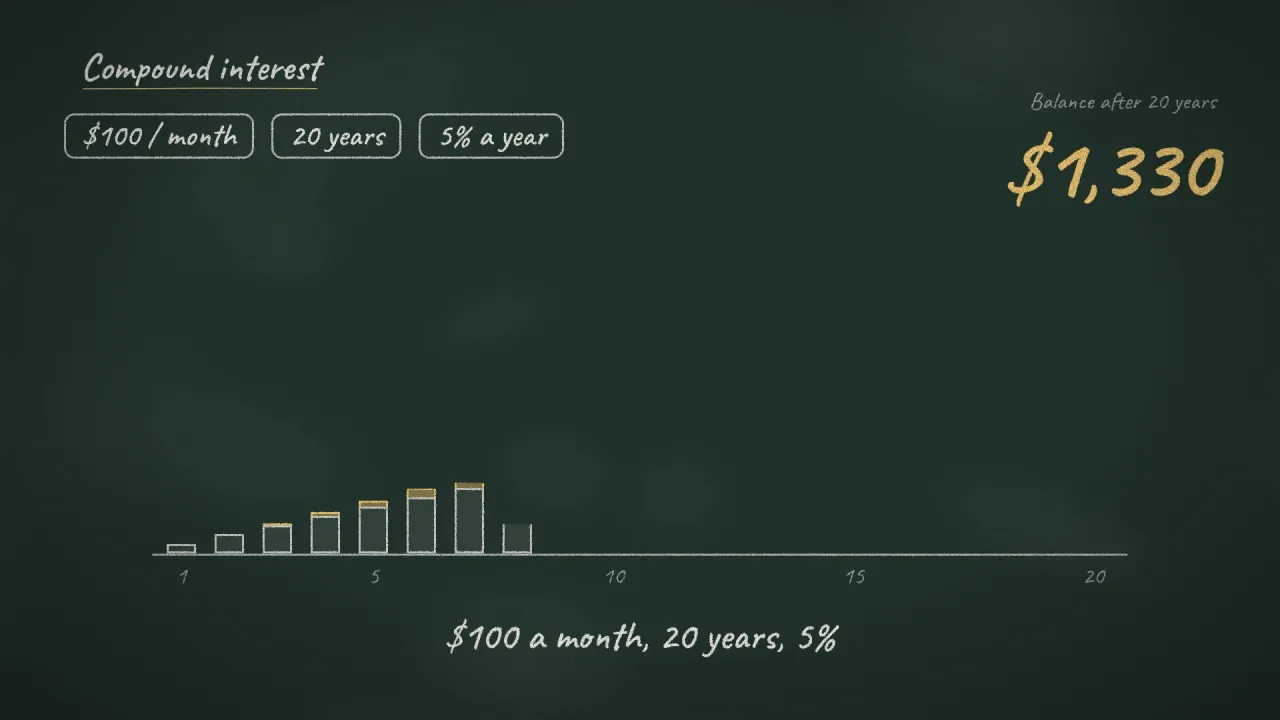
A chalkboard explainer on compound interest
Brief: explain compound interest to the clients of a financial advisor. The chalk style and the bars that grow year by year turn a formula into something you can see.
A whiteboard process explainer
Brief: show an online store's customers how an order travels from the click to their door. A drawing hand builds the journey in four numbered steps, then the camera pulls back to show the whole process at once.
A data explainer: quarterly results
Brief: present a company's quarterly results. Bar charts, an icon array, a line chart and a dashboard, each one built on screen in turn, so the numbers tell a story instead of sitting on a slide.
Want one for your own product? Try the animated explainer video maker. If the video should show your real website or app, the corporate video maker recreates it from the URL.
What the best explainer videos have in common
- One problem, stated in the customer's words. Dropbox, Crazy Egg and Calendly all open on a frustration the viewer already feels.
- A simple structure. Problem, solution, how it works, call to action. Almost every example above follows it, even the funny ones.
- One idea per scene. Headspace and Notion never ask you to read and listen to two different things at once.
- A style that matches the message. Calm for a meditation app, crisp typography for a productivity tool, 3D for an engineering story.
- Short. For a product, 60 to 90 seconds is usually enough. At a normal speaking pace that is a script of roughly 150 to 220 words. The long examples here (RSA, Kurzgesagt) are education, not sales.
- A clear next step. Sign up, book a demo, try it free. One action, not three.
Types of explainer videos
- 2D character animation: friendly and flexible, good for consumer products (Headspace, Crazy Egg).
- Motion graphics: shapes, icons and interface elements in motion, the default for SaaS and fintech (Airwallex, Kurzgesagt).
- Kinetic typography: text as the main character (Notion, Apple).
- Whiteboard: drawn live on screen, great for processes and education (RSA).
- Live action: real people, often the founder, for personality and trust (Slack, Dollar Shave Club).
- 3D: for physical products and anything the eye can't see (Dyson).
- Screencast or presenter-led demo: the product itself on screen, or a person walking you through it (Calendly).
How to make your own explainer video
- Write the problem in one sentence, in the words your customer would use.
- Draft a short script: problem, solution, how it works in three steps, call to action.
- Pick a style from the list above that fits your brand and your audience.
- Produce it. An agency or a freelancer gives you full custom work; an AI tool gets you an animated first version in minutes that you can refine.
- Put it where the question is asked: the top of your homepage, your pricing page, sales emails and onboarding.
For the animated styles (icons, whiteboard, chalkboard, motion graphics and data), the animated explainer video maker does steps 2 to 4 for you from a brief. For live action and AI footage, see our guide to the best AI video generators.
Frequently asked questions
What is an explainer video?
A short video, usually one to two minutes, that explains what a product, service or idea does and why it matters. It is typically placed on a homepage or landing page, or used in sales and onboarding.
How long should an explainer video be?
For a product or service, 60 to 90 seconds covers the essentials. Educational explainers can run much longer, as Kurzgesagt and RSA show, because the viewer came to learn rather than to decide.
What is the best style for a SaaS explainer video?
Motion graphics with real interface elements, or animated icons if the product is hard to show. Both keep the focus on the workflow and are easy to update when the product changes.
How much does an explainer video cost?
It depends on who makes it and how. Custom animation from a studio is priced per project and is the most expensive route. Freelancers sit in the middle. AI tools are the cheapest way to get a finished animated explainer, and a good way to test a script before paying for custom work.
Can AI make an explainer video?
Yes. The four examples above were made with AI from a one-line brief each: the AI plans the story, animates every scene and renders the video, with optional voice-over and music. Behind them is Claude writing the animation as code: here is how Claude makes videos.