Product Demo Video Maker for SaaS and Apps
Your interface, animated from your URL
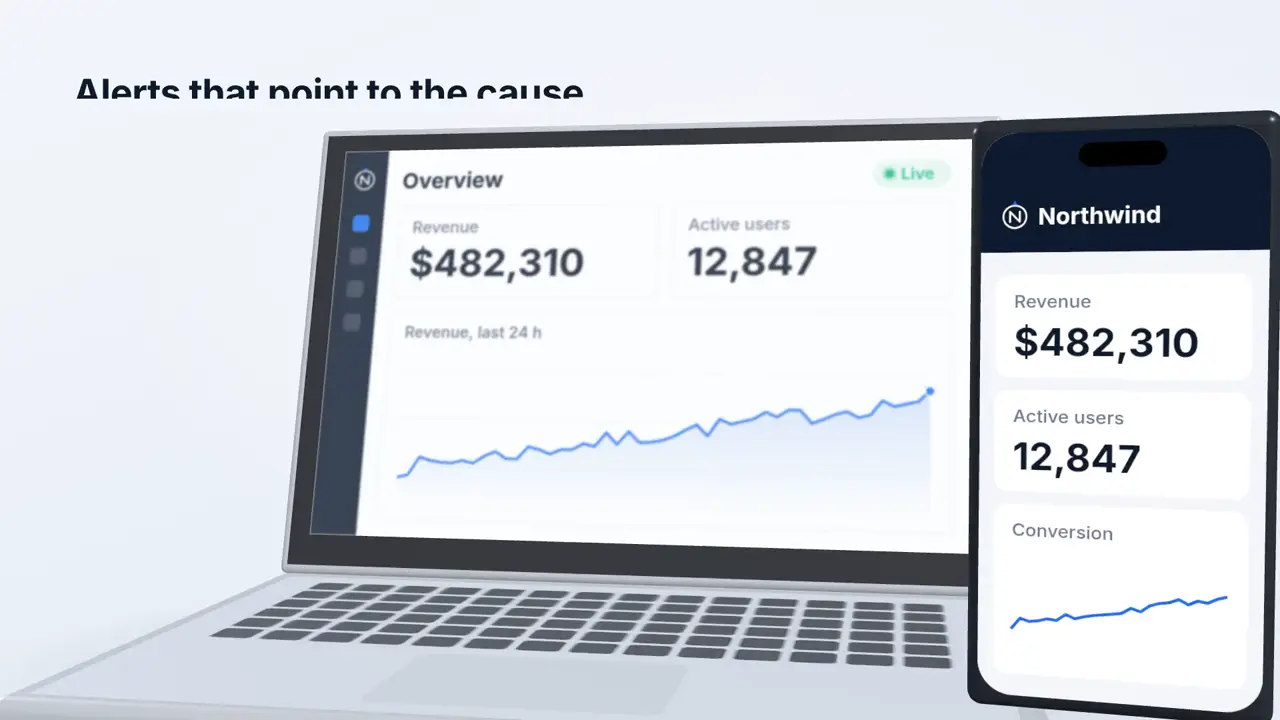
Vuela visits your website, takes your logo, colours and screenshots, and recreates your product on devices: clicks that happen, dashboards that fill with numbers, notifications that pop in. It looks like a polished screen recording, without recording anything.
- Screens, logo and colours taken from your site
- Laptop and phone mockups, in 3D when it helps
- Every feature shown in context
A demo for every feature and channel
Make a 30-second overview for your homepage, a 15-second clip per feature for onboarding emails, a vertical cut for LinkedIn and Reels. Change the message and generate again in minutes.
- 16:9, 9:16 and 1:1
- Optional voiceover in your language
- Music and sound effects on each click
How to make a product demo video in 3 steps
Paste your URL
Add your website or app URL and a few lines about what the demo should show.
Pick the look
Device mockup, clean product UI, bento grid or dark tech. Choose the format and, if you want, a narrator voice.
Publish
Get an MP4 for your homepage, product pages, sales emails or social ads.
Frequently Asked Questions
What is a product demo video?
A short video that shows how your software works: the problem, the key features in the real interface, and the result. It is the video that converts on a SaaS homepage, a pricing page or a sales email.
Do I need to record my screen?
No. Vuela visits your website, takes screenshots, logo and colours, and rebuilds the interface as animation. That is why it always looks clean, with no cursor jitter or personal data on screen. If you already have a screen recording of your product, use the product walkthrough video maker: it turns that recording into a narrated demo.
Can it show features that are not on my website?
Yes. Upload screenshots of your app and describe what to show; the animation uses them.
How much does it cost?
A 30-second video uses 235 credits, about €4 on the Lite plan. Voiceover adds 15 credits.
How is this different from an e-commerce product video?
This is for software and apps. For physical products, use the AI product video generator.
Pricing
The best content. The cheapest price.
Lite
A light plan for casual creators getting started.
$9
per month
500
AI credits / monthly
- 80+ AI Creation tools
- AI Video with cloning & reimagining
- AI Images with Try-On & product shots
- Generate original background music
- Publish SEO-ready articles instantly
- Viral video inspiration
- 19+ preset & custom video styles
Starter
The essential toolkit for exploring AI content creation.
$19
per month
1,050
AI credits / monthly
- 80+ AI Creation tools
- AI Video with cloning & reimagining
- AI Images with Try-On & product shots
- Generate original background music
- Publish SEO-ready articles instantly
- Viral video inspiration
- 19+ preset & custom video styles
Growth
The perfect plan for serious content generation.
$59
$39
per month
2,200
AI credits / monthly
- 80+ AI Creation tools
- AI Video with cloning & reimagining
- AI Images with Try-On & product shots
- Generate original background music
- Publish SEO-ready articles instantly
- Viral video inspiration
- 19+ preset & custom video styles
Business
The complete solution for content-driven businesses.
$99
per month
6,000
AI credits / monthly
- 80+ AI Creation tools
- AI Video with cloning & reimagining
- AI Images with Try-On & product shots
- Generate original background music
- Publish SEO-ready articles instantly
- Viral video inspiration
- 19+ preset & custom video styles
- Priority support
Looking for a custom plan?
Adapted to your business needs (volume and customization)
Explore more AI video tools
Product Walkthrough Video Maker: Screen Recording to Demo
Turn a screen recording of your product into a narrated product walkthrough video. Vuela finds the steps, cuts the dead time, writes the script, voices it and zooms into every click. Your recording does not need a voice.
Corporate Video Maker: Animated Company Videos with AI
Create an animated corporate video in minutes: your website or app on screen, a launch announcement or your numbers, animated with your logo and colours. Studio finish, without the production company.
Website to Video AI Generator
Paste any webpage URL and our AI creates a video from its content — perfect for turning landing pages, articles and product pages into videos.
AI Motion Graphics Generator
Describe the piece and get real motion graphics: layered design, typography, 3D and timing, written as animation by AI. Not stock templates, not a video model's guesswork.
Faceless AI Video Generator Tool
Create engaging faceless AI videos perfect for storytelling, explainer videos, and educational content.
AI Image to Video Generator
Convert images to engaging videos using our advanced AI technology.
AI Video Cloner Tool
Analyze any video and create an AI-powered replica with new visuals, voices and music while keeping the same narrative structure.
Trump AI Video Generator Tool
Create AI-generated videos inspired by political speeches, debates, and viral moments. Perfect for satire, commentary, and social content.
Video to Video AI Generator
Transform any YouTube, TikTok or Instagram video into a brand-new AI-generated version. Extract the script and recreate it with your own style.